My Claude Code setup
I've been using Claude Code as my daily driver for coding tasks. Over time, I've built up a pretty specific configuration that makes the whole experience better. I keep everything in my [dotfiles repo](https://github.com/freekmurze/dotfiles) under `config/claude/`, so it's easy to sync across machines.
In this post I'll walk through my setup.
## Global instructions
The first file worth mentioning is my `CLAUDE.md`. This contains global instructions that Claude Code reads at the start of every session, regardless of which project I'm working in. I've kept it fairly short. It tells Claude to be critical and not sycophantic, to follow our Spatie PHP guidelines, and to use `gh` for all GitHub operations.
That last one is more useful than you might think. Instead of Claude trying to hit the GitHub API directly with curl, it just uses the GitHub CLI, which is already authenticated and handles all the edge cases.
## Settings and permissions
My `settings.json` gives Claude Code broad permissions to run commands and edit files. I know some people prefer to keep things locked down, but I find the constant approval prompts break my flow. I also have thinking mode set to always on, which I've found leads to noticeably better results on complex tasks.
## The status line
The most fun part of my setup is a custom status line. Claude Code lets you configure a shell script that renders at the bottom of the terminal. Mine shows two things: the name of the repo I'm working in, and the current context window usage as a percentage.
The script reads JSON from stdin that contains workspace info and context window statistics. It extracts the repo basename and calculates how much of the context window has been consumed. Then it color-codes the percentage: green when it's below 40%, yellow between 40% and 59%, and red at 60% or above. This gives me a quick visual indicator of when I should consider starting a fresh conversation.
The output looks something like `laravel-og-image | ctx: 27%`. Here's a screenshot of it in action while I was working on one of our packages:
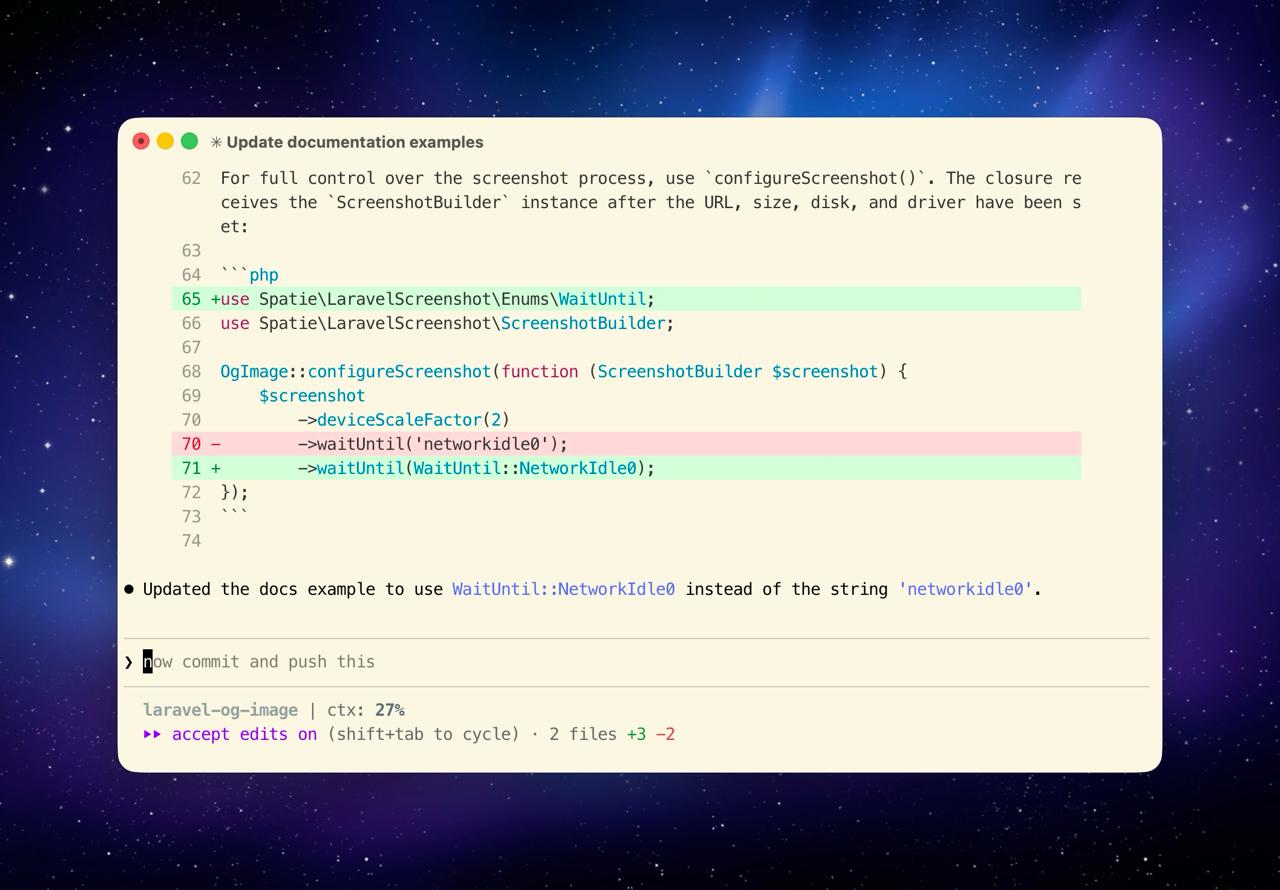
You can find the full script as `statusline.sh` in the dotfiles repo. It's a straightforward bash script, nothing fancy, but it's one of those small touches that makes the daily experience noticeably better.
## Custom agents
Claude Code supports custom agents, which are essentially pre-configured personas with specific models and instructions. I have four of them.
The `laravel-simplifier` uses Opus and automatically refines code to be simpler and more readable. The `laravel-debugger` runs on Sonnet and is focused on tracking down bugs. The `laravel-feature-builder` uses Opus for building out new features. And the `task-planner` uses Opus to break down larger tasks into manageable steps.
Having these as separate agents means I can quickly switch context without re-explaining what I want Claude to focus on.
## Skills and guidelines
My config includes a `laravel-php-guidelines.md` file with our comprehensive Spatie coding standards. This ensures that any code Claude writes follows our conventions from the start. No more correcting formatting or naming conventions after the fact.
Beyond that, I have over 40 skills configured, covering everything from PHP guidelines to marketing and SEO. Skills in Claude Code are reference documents that Claude can pull in when relevant. They keep the context window clean by only loading when needed.
## In closing
If you're using Claude Code, I'd encourage you to invest some time in your configuration. The defaults are fine for getting started, but a tailored setup makes a real difference in daily use. My entire configuration is public in my [dotfiles repo](https://github.com/freekmurze/dotfiles) under `config/claude/`, so feel free to take a look and borrow whatever is useful to you.
freek.dev


